
Accor Booking Tutorial
Route: enter your identifier and search on the agent site TravelPros (travelpros.accor.com), then continue on the Travel Professionals (Indiv) results pages on all.accor.com — no sign-in needed at any point. The steps below use a search for Houston as an example (Oct 27 → Oct 28, one night): the search returned no Accor hotel in Houston itself, and after clicking Expand search area the nearest result was Fairmont Austin (146.19 mi from the search point); the steps continue with that property.
- Enter your identifier (identify first, then search): open the
Search & Bookpage on travelpros.accor.com, setChoose the type of identifiertoIATA / TIDS / CLIA(selected by default; the other option isRT / TRUE), and enter the agency number shown in your account in theYour identifierbox — the box pre-fills theIAprefix and the page notes “8 characters (without the prefix IA or RT)”, so enter only the 8 digits themselves.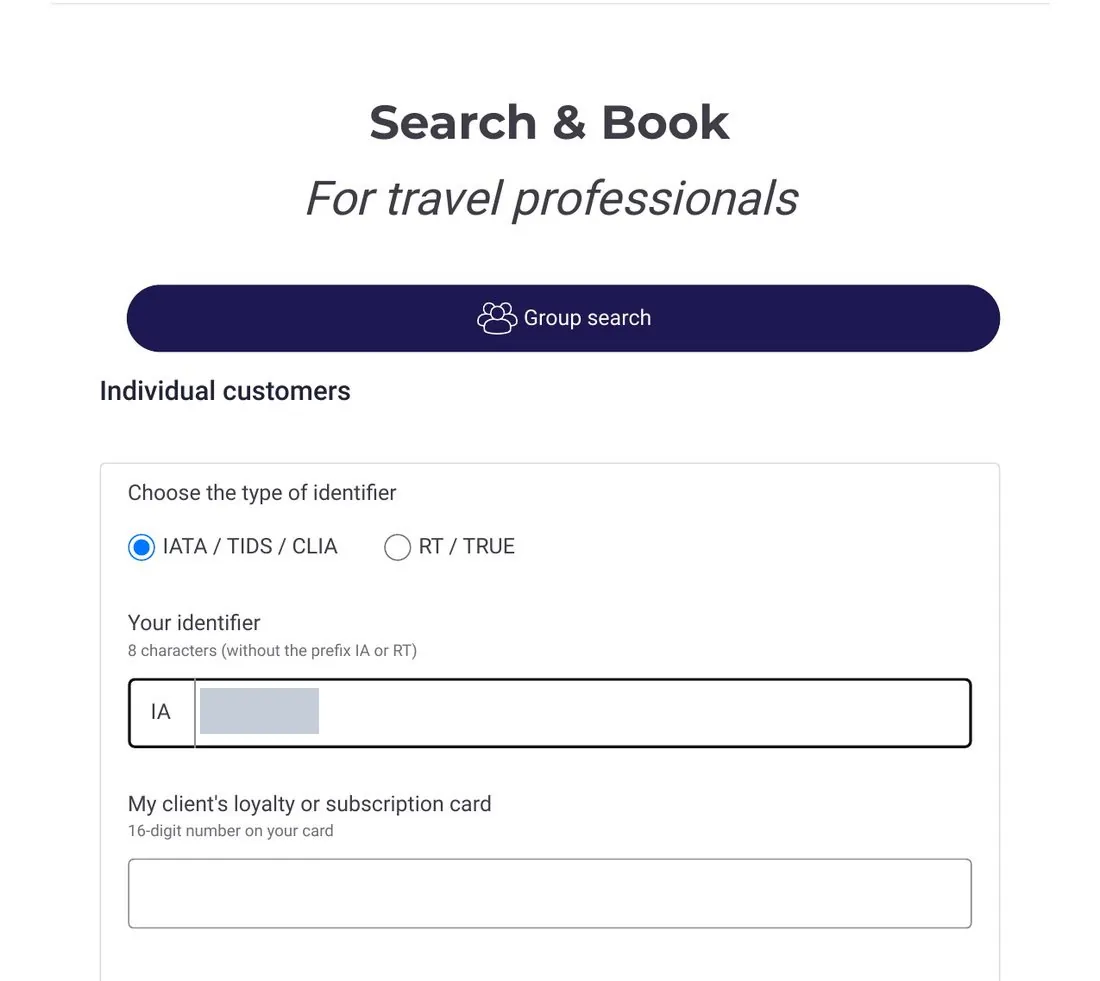
- Enter destination and dates, click Search: in this example, Place was
Houston, TX, USA, Check-In 10/27/2026, Check-Out 10/28/2026, Rooms & Guests 1 Room(s) - 1 Guest(s). The search lands on the all.accor.com results page; Houston itself showedNo hotels found for this destination, and clickingExpand search areaproduced the single result, Fairmont Austin (From $658).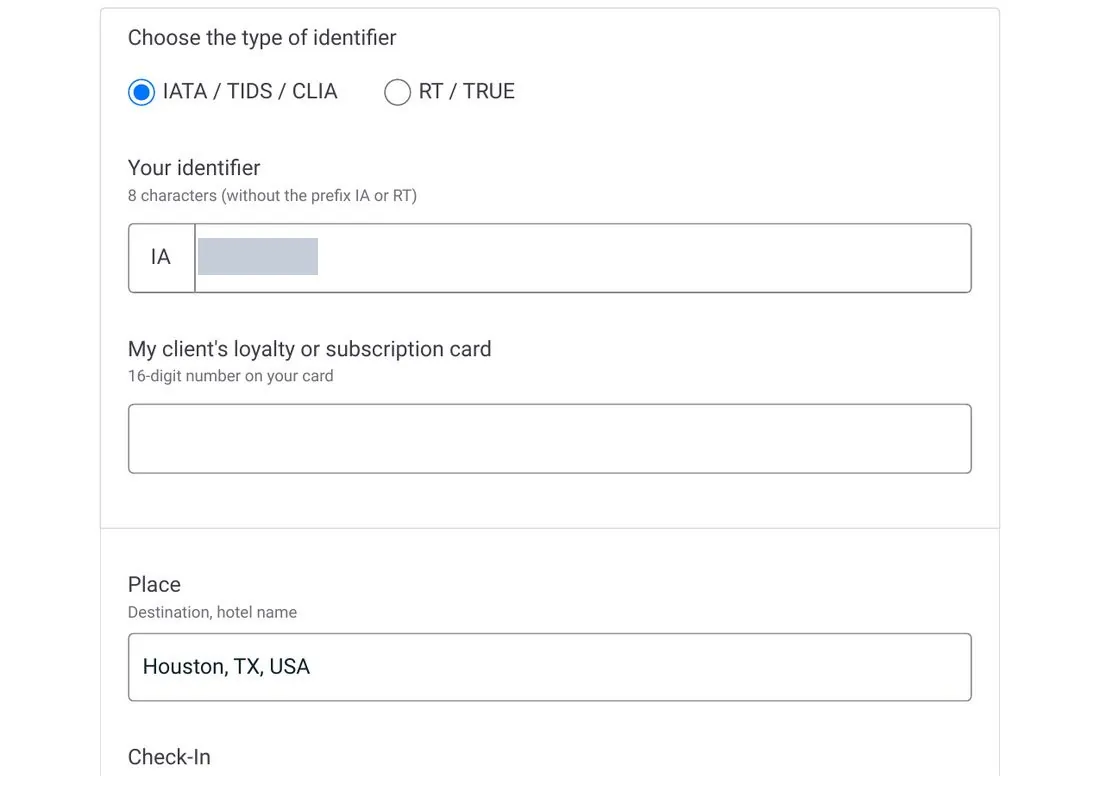
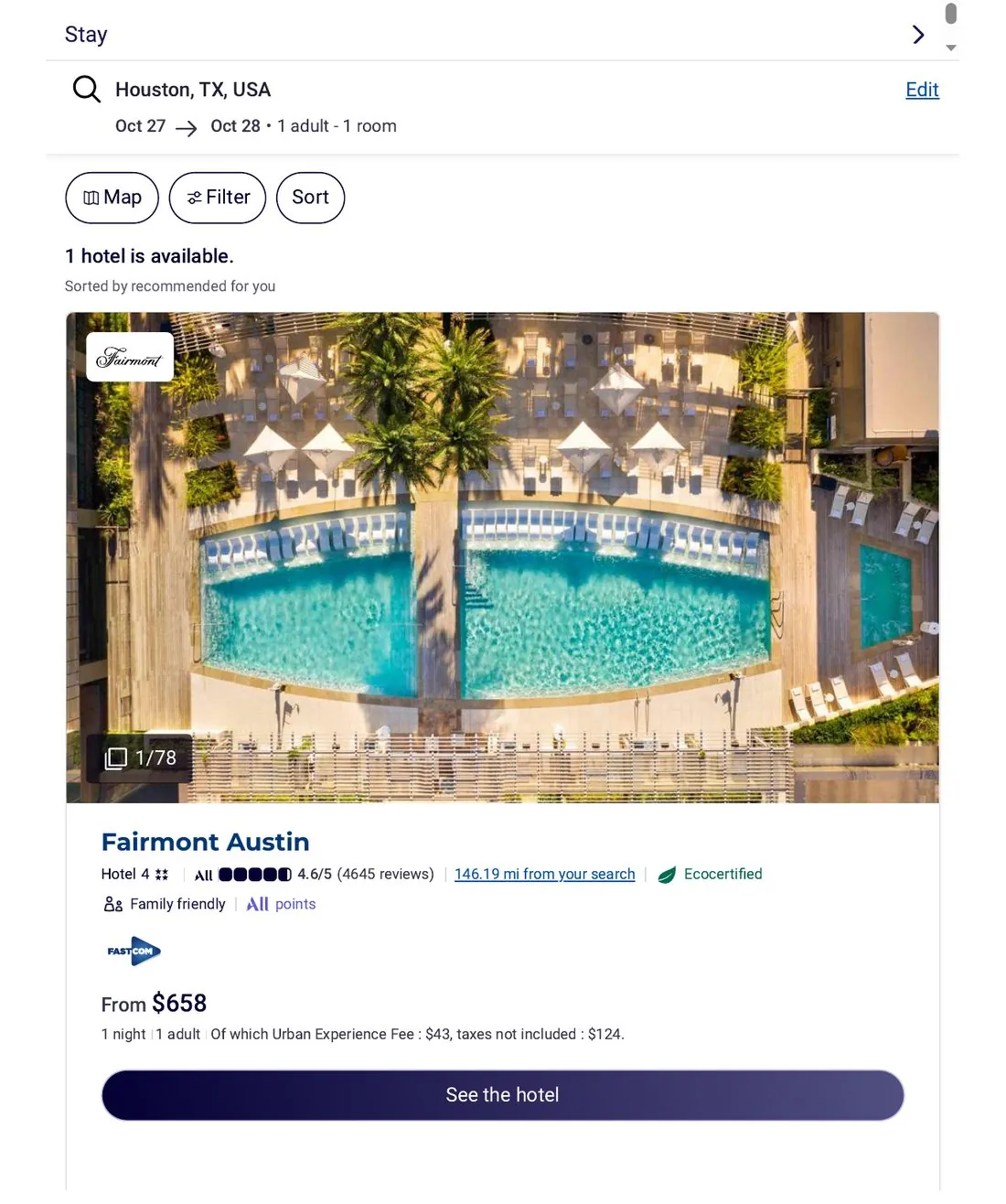
- Open the hotel page and check the banner to confirm attribution: click
See the hotel; above the room types there is aTravel Professionalsbanner that names the agency outright:HAAVK INC, here are the rates on which commission can be charged.— when you see it, your identifier has resolved to HAAVK INC on Accor's side and the page's rates are shown on agent terms.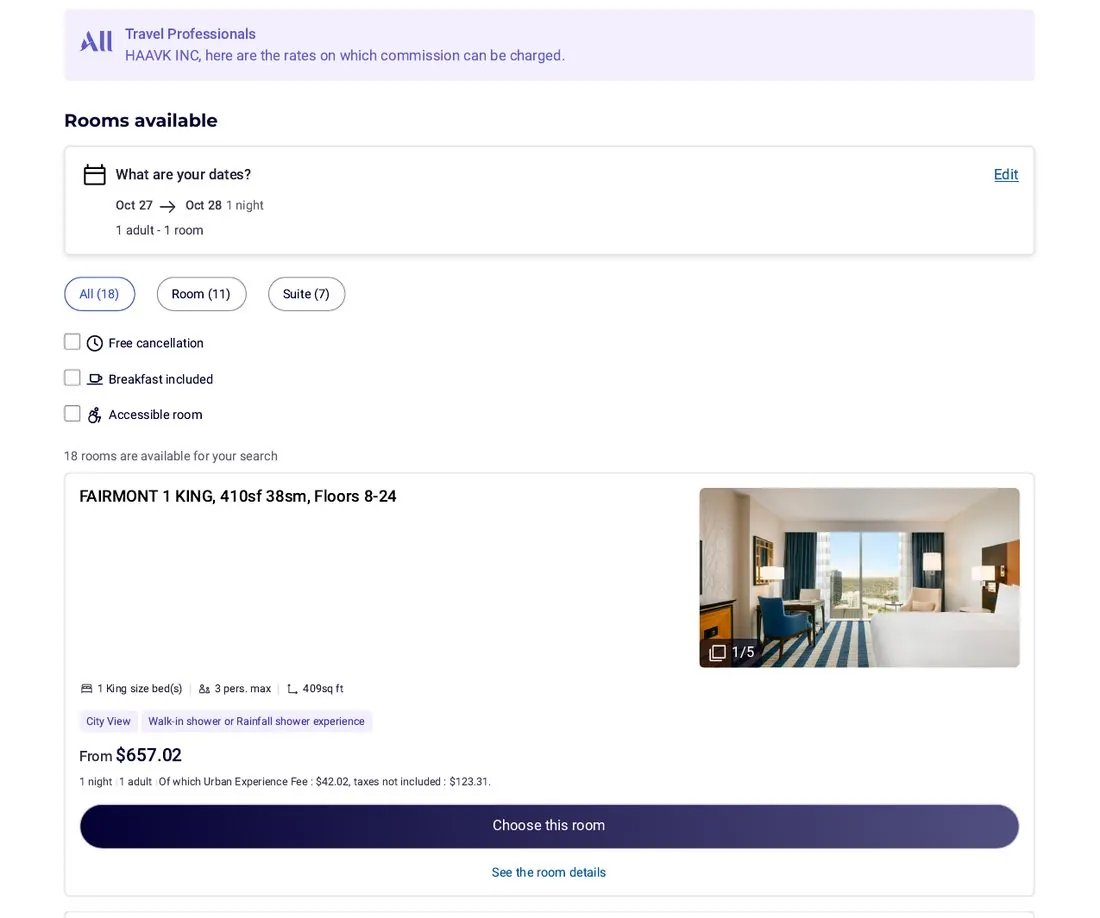
- Check the Commission line rate by rate (the only basis for judging commissionability): click a room type's
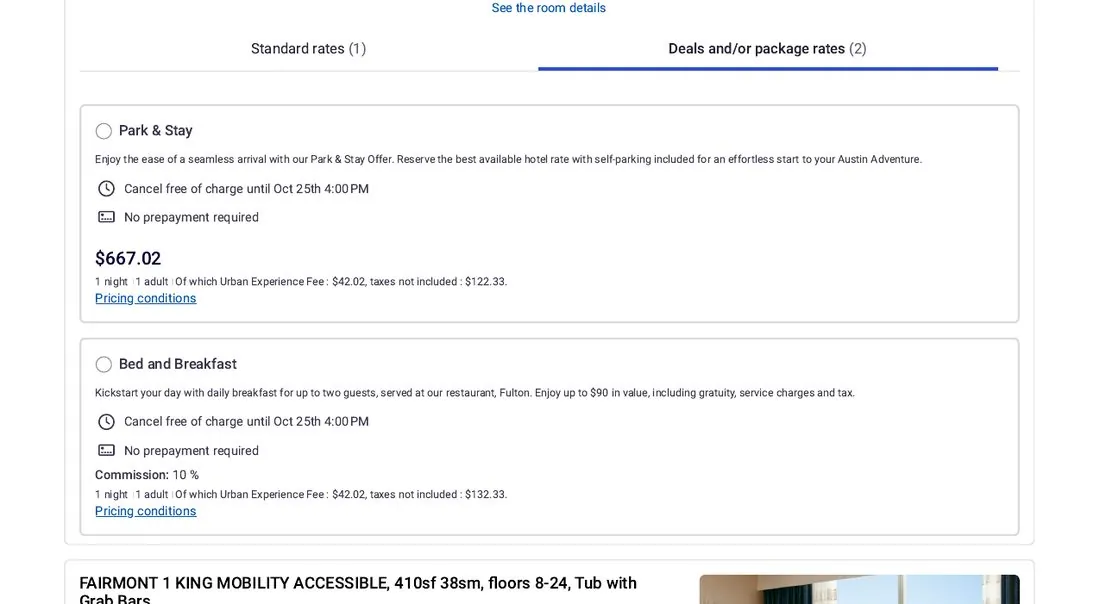
Choose this roomto expand its rates, which sit under two tabs,Standard ratesandDeals and/or package rates. A commissionable rate prints a line right under the price:Commission: 10 %(in this example, FLEXIBLE RATE $657.02 and Bed and Breakfast both had it); a rate without that line earns nothing (here, Park & Stay $667.02 had none). Never infer from the rate name or the tab — check that line on every rate.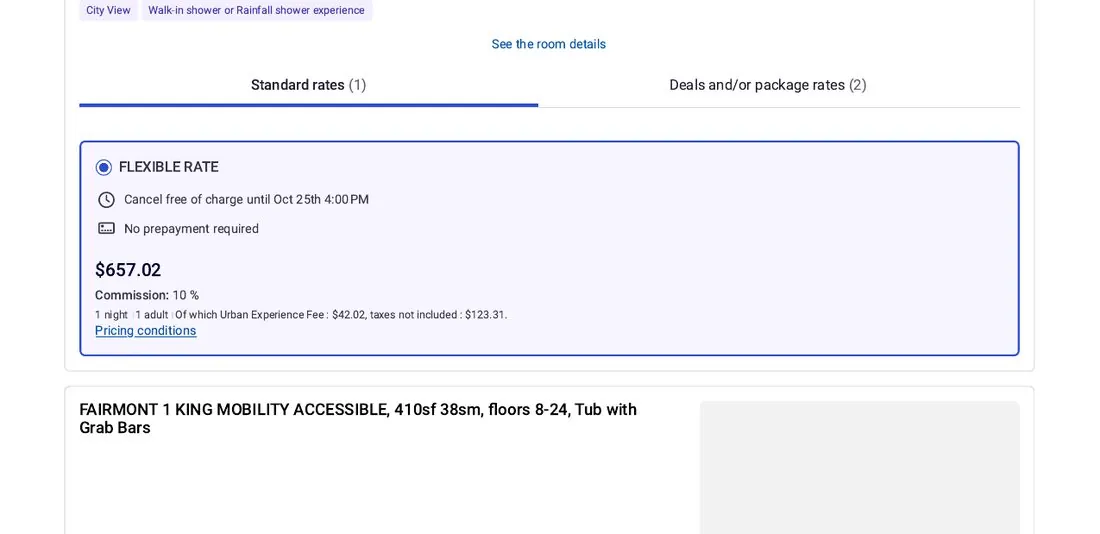
- Review the summary, then Continue: once you pick a rate, the summary rail on the right shows the room price, taxes and the tax-inclusive total (in this example, Total $588.25) and the
Continuebutton. Check the figures, then click Continue to proceed to guest details and payment.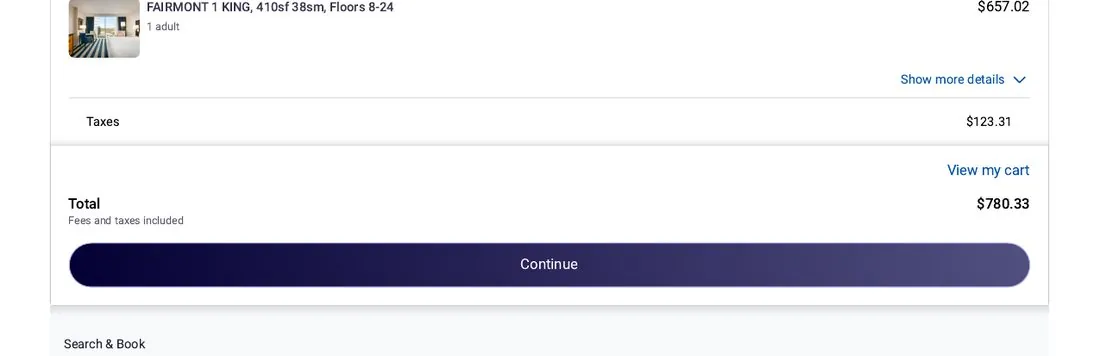
Whether a rate earns commission is determined by the hotel under its own rules for that rate. Terms §4.1