
Hilton Booking Tutorial
Route: the consumer site hilton.com — no sign-in needed at any point. The steps below use The Sam Houston Hotel, Tapestry Collection by Hilton in Houston as an example (check-in Oct 26 → check-out Oct 27).
- Open the Special rates panel and tick Travel agents (the key step): in the hilton.com search bar enter the destination, dates and guests, open
Special ratesto expand the panel (options include Use Points, AAA rate, Senior rate, Government and military rates, plus three code boxes: Promotion code, Group code, Corporate account), tick theTravel agentscheckbox in the right column, clickDone, then search. Do not put the IATA number in any of the three code boxes.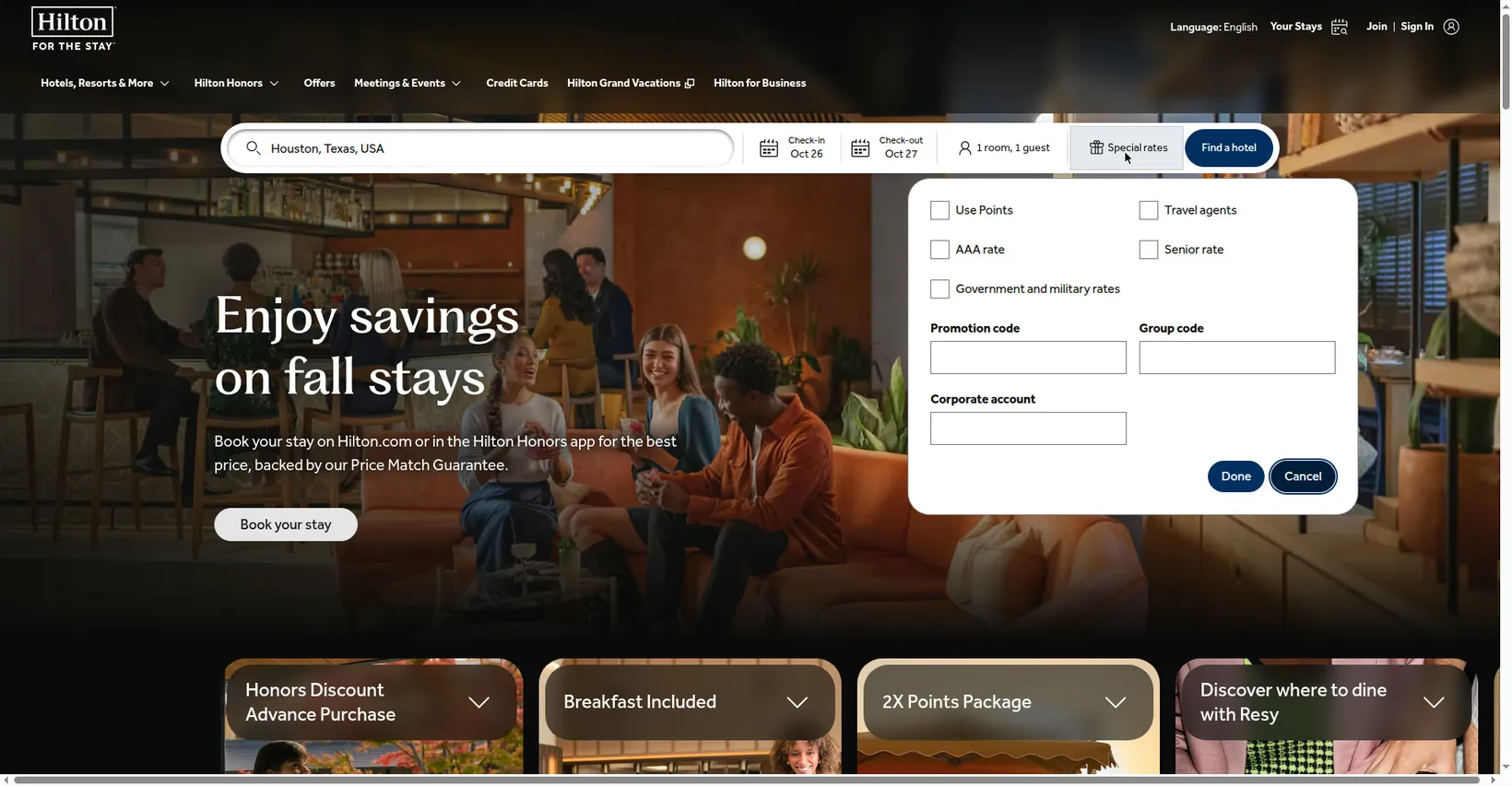
- Check the commission marker on the rates page: open the hotel, pick a room, and on the
Select a Ratepage: when Travel agents is ticked, every rate carries a line of green text,Commissionable, right under it (plain text, not clickable) — only rates with that marker earn commission. TheRate detailspop-up contains no commission wording, so don't look for it there. Pick your rate and clickSelectto continue.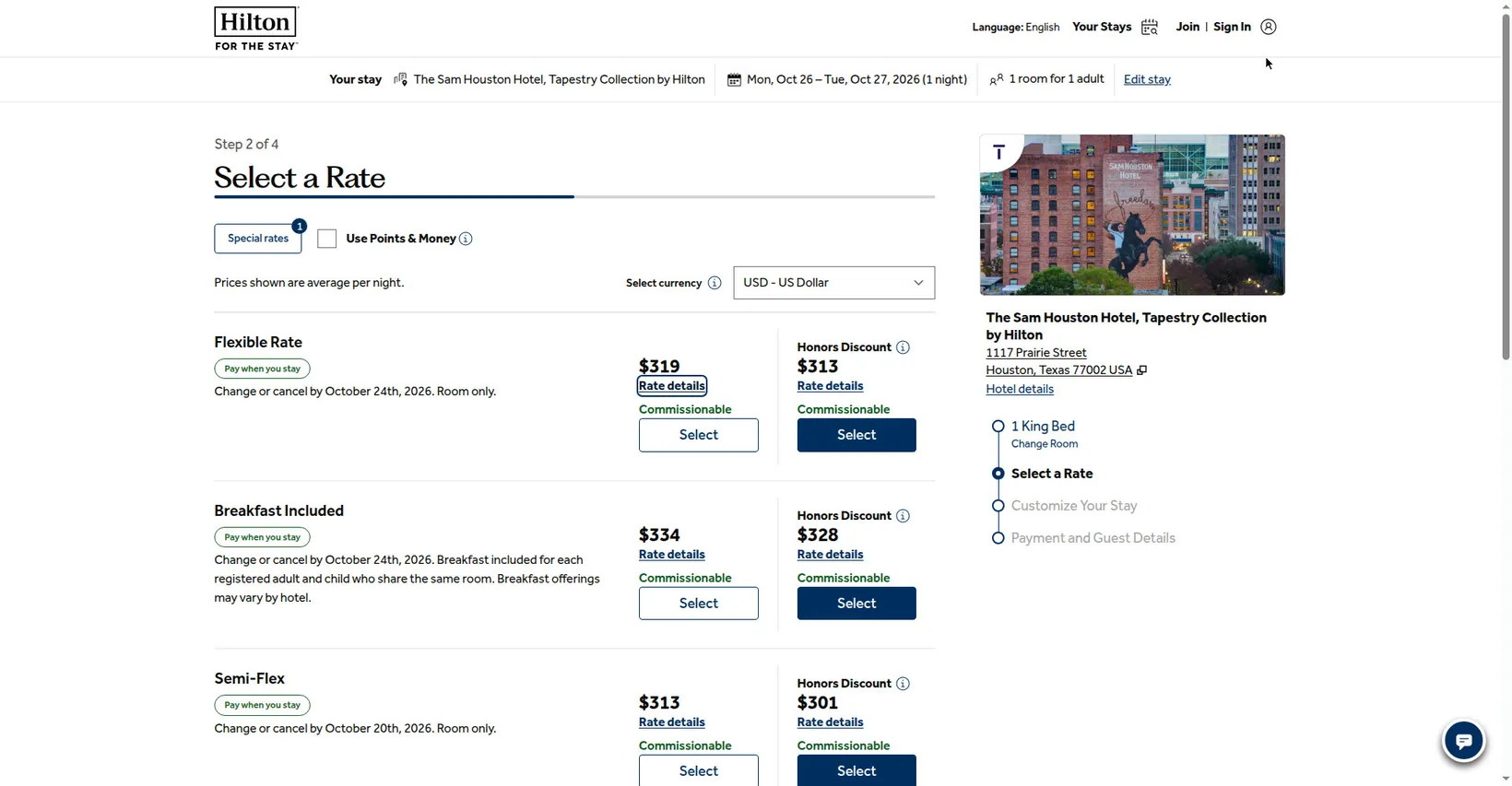
- Enter the Travel agent number at checkout: after Customize Your Stay you reach the checkout page,
Step 4 of 4: Payment and Guest Details, which carries a banner at the top: “Please enter your Travel Agent number in the form.” Scroll to theTravel agent informationsection and enter the agency number shown in your account inTravel agent number(required). The question-mark pop-up next to the field lists the accepted number types: ARC, CLIA, IATA, SATO, TIDS, TRUE, TS, TSI. TheUnlimited rewards numberbelow is optional — leave it empty if you don't have one.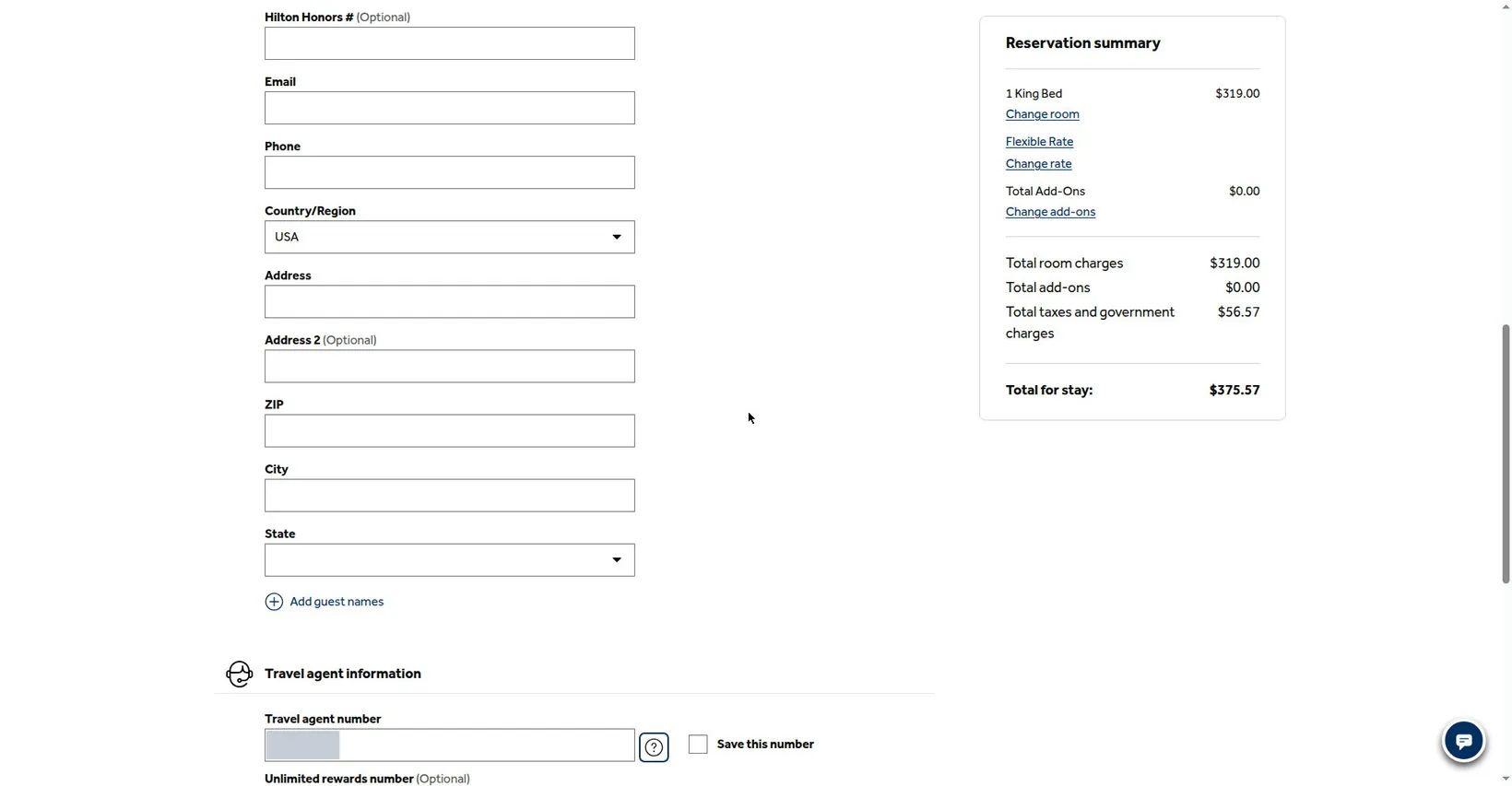
- Optional: save the number: tick
Save this numbernext to the Travel agent number field (unticked by default; see the field's right side in the screenshot above) and the number is saved and carried onto your next booking automatically. Double-check everything, then complete payment to submit.
⚠️ The order matters: you must tick
Travel agents at the search stage: without that tick, the rates page shows no commission markers at all, and the standard checkout page has no travel-agent field anywhere — there is nowhere to add the IATA number once you reach checkout.Whether a rate earns commission is determined by the hotel under its own rules for that rate. Terms §4.1