
Hyatt Booking Tutorial
The steps below are a one-time setup on the traveler's profile: sign-in is a one-time email link, no password needed, and the saved settings remain in place for later bookings.
- Sign in with the traveler's account: sign in to hyatt.com with the traveler's own World of Hyatt account (enter their email on the sign-in page → a one-time link arrives by email → clicking the link completes sign-in; no password).
- Open your profile: click the name menu →
Profile & Preferences→Personal Information, and find theTraveler Typecard.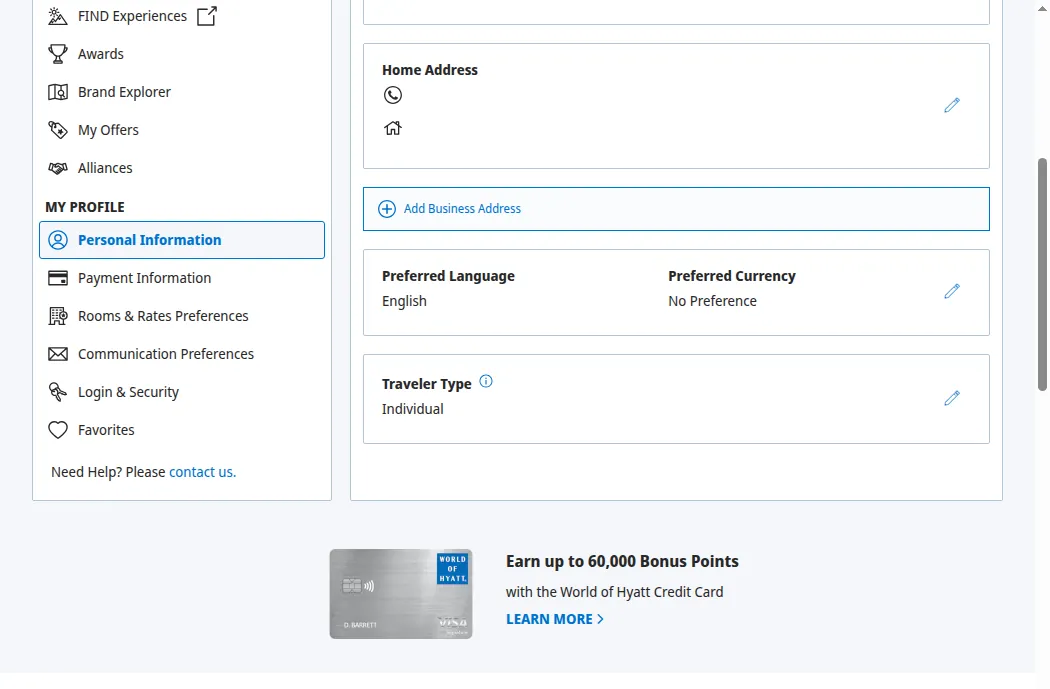
- Change the Traveler Type: in the
Edit Traveler Typeform, setTraveler TypetoTravel Planner.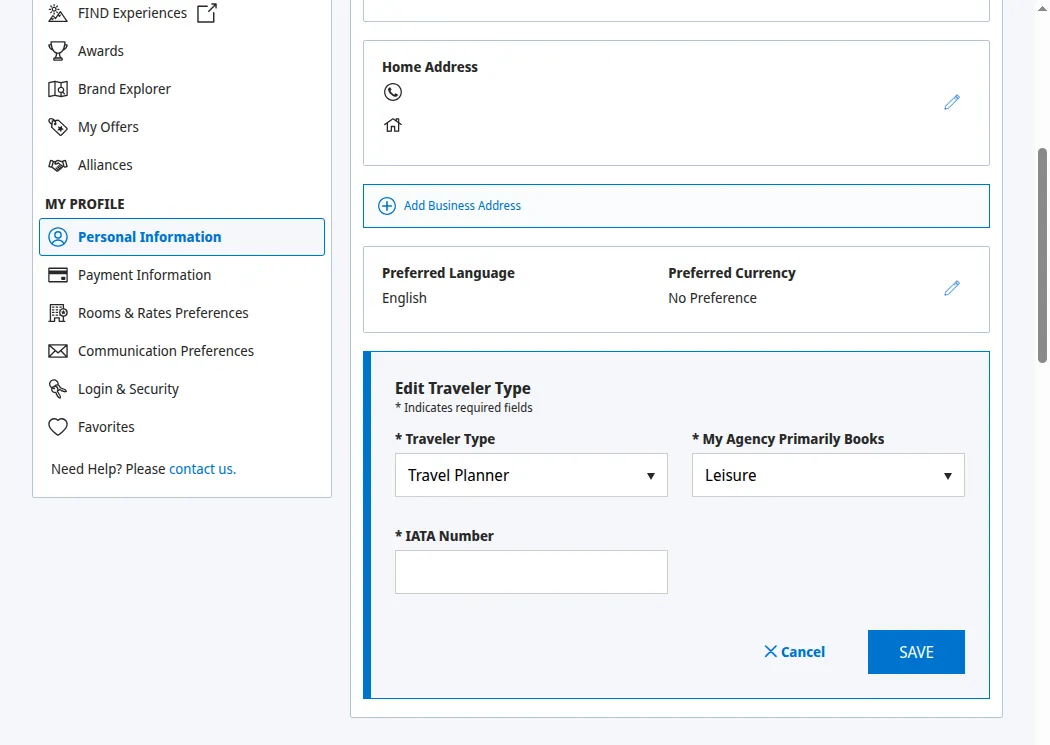
- Enter the number and save: set
My Agency Primarily Booksto Business and Leisure, enter the agency number shown in your account inIATA Number, and clickSAVE.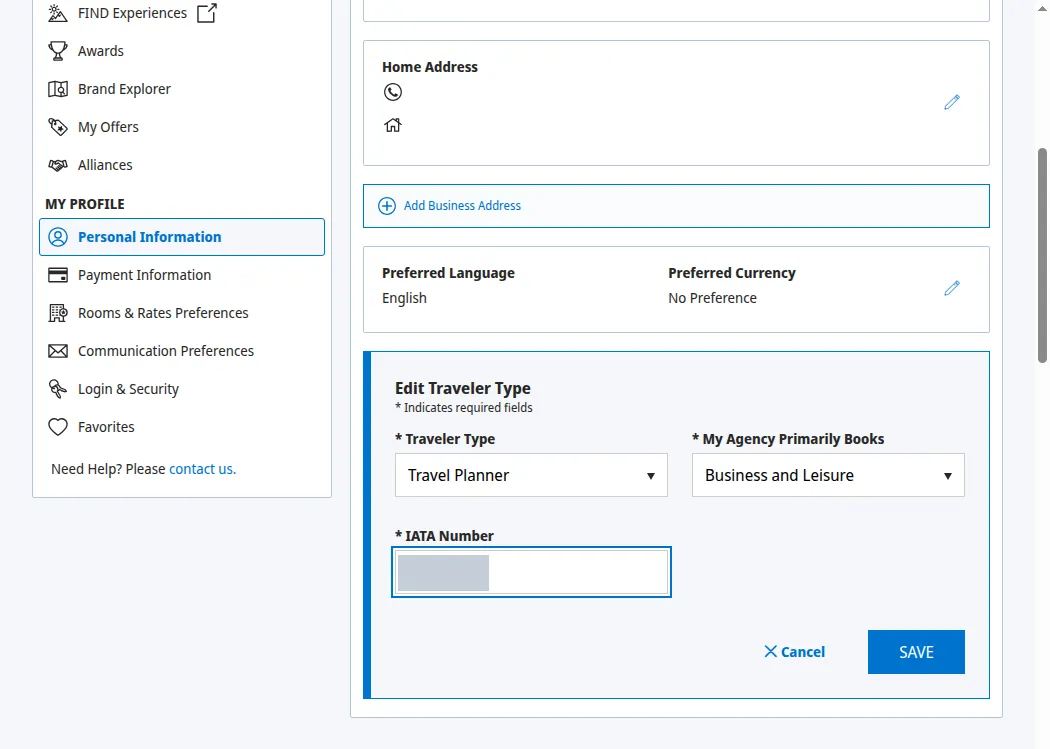
- Later bookings carry it automatically: once set up, the
For Travel Planners and Advisorssection at checkout carries your saved Travel Advisor ID automatically (locked, not editable), so there is nothing to type per booking; just verify it before you submit.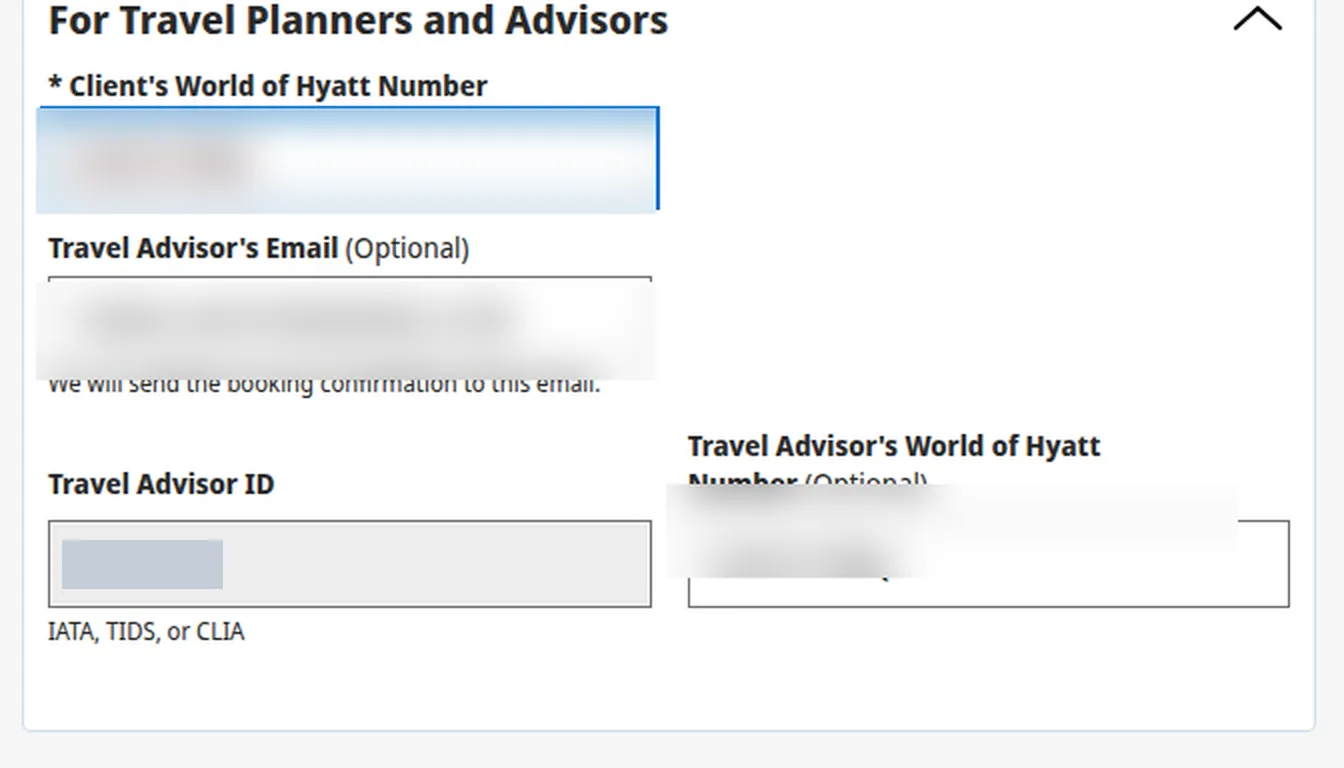
Whether a rate earns commission is determined by the hotel under its own rules for that rate. Terms §4.1