
IHG Booking Tutorial
Route: the consumer site ihg.com — no account sign-in needed, and no detour to the IHG Agent Portal. The steps below use the Staybridge Suites Houston Downtown in Houston as an example (Oct 27–28). Prices in the screenshots are shown in JPY.
- Open the search bar: on ihg.com enter the destination, check-in/check-out dates, rooms and guests, and expand
Rate Preference. - Turn on the travel-agent toggle: in Rate Preference, switch on
Are you a travel agent?(it turns orange when on).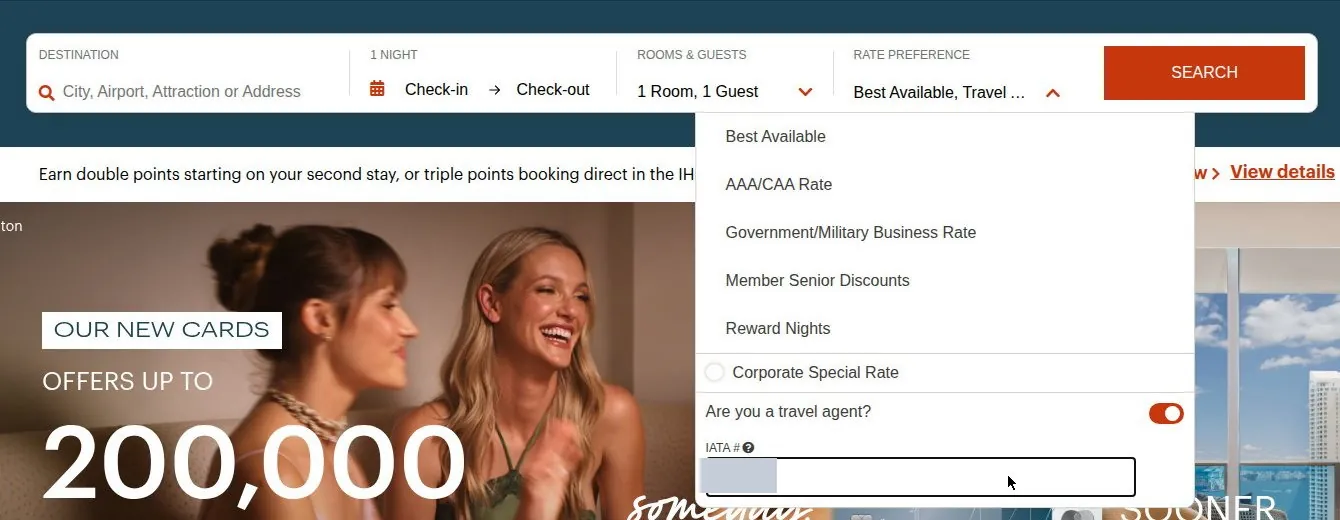 ▲ The Rate Preference panel, with the toggle on and the IATA # filled in.
 - Enter the IATA number and search: once the toggle is on, an
IATA #field appears — enter the agency number shown in your account and clickSEARCH. The number travels with the search, and the results page shows the active preference as “Best Available, Travel Agent”.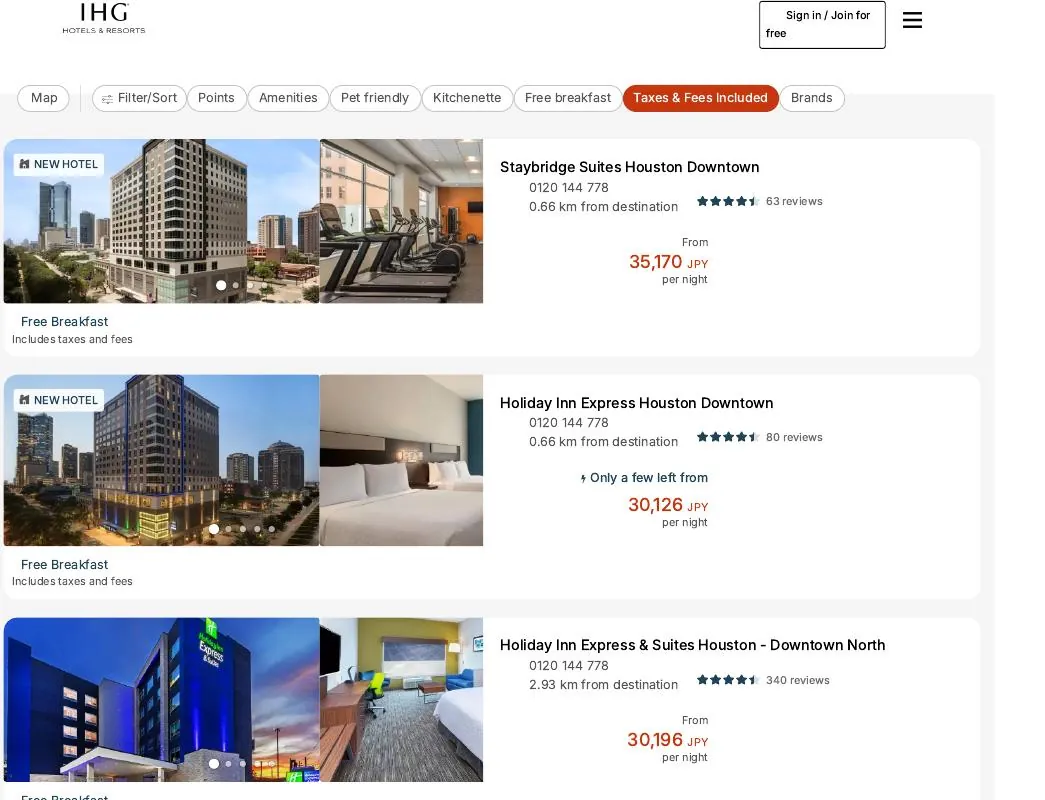
- Open the hotel's rates page: the page keeps showing the active preference “Best Available, Travel Agent”; review the rates room type by room type (at this hotel, one room type offered Advance Saver and Best Flexible Rate).
- Click the i icon next to the rate: each rate has an
iicon — hovering shows nothing; you must click it (the circled i to the right of the price at the top of the screenshot below).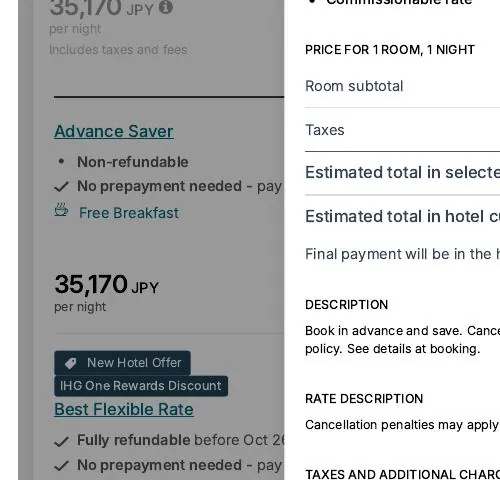
- Confirm commission in the pop-up: clicking opens that rate's rate-detail pop-up; if its lines include
Commissionable rate, the rate earns commission (the screenshot shows the Advance Saver pop-up). Check every rate this way before you book.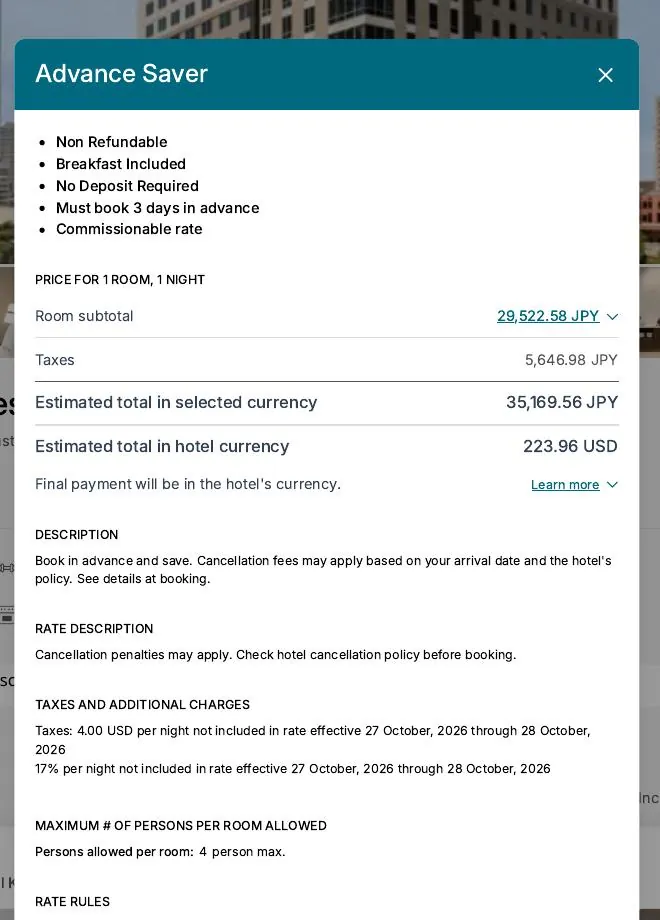
Note: the IHG Travel Agent Rate in the Rate Preference dropdown is an agent discount rate option — do not use it in place of the toggle + number steps above for a commissionable booking.
Whether a rate earns commission is determined by the hotel under its own rules for that rate. Terms §4.1